
Accessing andara88 on Mobile
Installation paths for andara88
We provide three main ways to use andara88 on your mobile device: direct Android APK installation, iOS browser-based access, and a responsive web app. Android users can download the APK file directly from our platform and install it on their device, bypassing app stores. iOS users access andara88 through Safari or Chrome, and the responsive design adapts to iPhone and iPad screens. Web-app installation adds a home-screen shortcut for faster repeated access without a formal app download.
- Android APK: Direct download and install from andara88; no Google Play Store required.
- iOS browser: Open andara88 in Safari or Chrome; full functionality in the browser.
- Web app: Add andara88 to your home screen for instant access.
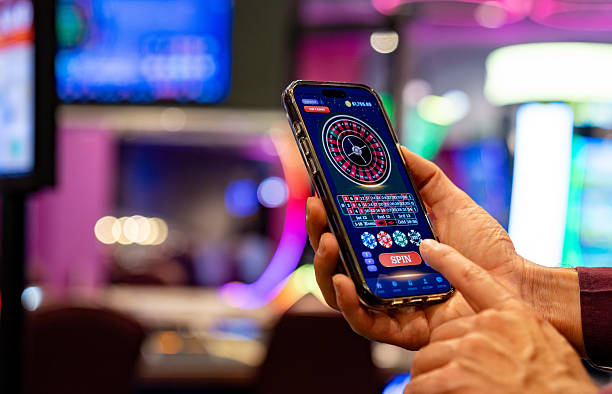
Installation steps for andara88
-
1
Download the installerAndroid only
Visit andara88.app and locate the Android APK download link. Your phone may prompt you to allow downloads from unknown sources—confirm this in your device settings under Security.
-
2
Complete the installationAll devices
Open the downloaded file and follow on-screen prompts. For iOS, skip this step and proceed to the browser. Installation on Android typically completes in seconds.
-
3
Open andara88 and register or sign inAll devices
Launch the app (Android) or navigate to andara88.app in your browser (iOS). Create a new account or log in with your existing credentials. Account verification follows the same KYC process on all platforms.
-
4
Add a payment method and startAll devices
Deposit funds via DANA, e-wallet, mobile banking, local payment, online payment, e-wallet, or bank transfer. Your balance updates instantly. Browse live tables, sportsbook markets, and slots within the app or browser.
App versus browser on andara88
The native Android APK on andara88 offers offline caching of table layouts, faster asset loading, and push notifications for live-game updates and promotions. Browser access (iOS and web) provides instant updates without installation steps, but may require re-login on each session if cookies are cleared. For users in Jakarta, Surabaya, and Bandung with inconsistent mobile data, the app's offline cache ensures tables remain visible during connection hiccups. Both paths support the full range of live-dealer games, sportsbook coverage (Liga 1, Piala Indonesia, Champions League), and payment methods on andara88.

Device compatibility
We at andara88 support Android 7.0 and above on smartphones and tablets. iOS users can access andara88 via Safari or Chrome on iOS 12 and above, covering all iPhone and iPad models released in the past five years. Minimum RAM requirement is 2 GB for smooth performance on live-dealer tables; 3 GB or higher is recommended for simultaneous sportsbook browsing. Screen sizes from 4.5 inches (small phones) to 10 inches (tablets) are fully supported, with responsive design adjustments for portrait and landscape modes.
Troubleshooting common issues
Installation failures on Android often stem from insufficient storage space or outdated security settings. Free up at least 100 MB before re-attempting the download. If the APK fails to open after download, check that your device's security settings allow installation from unknown sources—this is a standard Android requirement for apps outside the Google Play Store. For iOS users, clearing Safari cache and cookies, then revisiting andara88.app, resolves most session issues. Network connectivity problems are typically resolved by switching between mobile data and WiFi or restarting your device.
Data, permissions, and account security
andara88 collects device identifiers, IP address, and account activity to detect fraud and comply with anti-money-laundering regulations. Your login credentials and payment information are encrypted during transmission. The app requests permissions to access your device's calendar (for game reminders), notification settings (for promo alerts), and camera (for ID verification during KYC). You can deny these permissions and still use andara88 fully—they are optional. Your account on andara88 remains secure as long as you do not share your password. Enable device lock (fingerprint or PIN) as an additional security layer. See our privacy policy for full details on data handling.